
What Snagit is now, and who it’s for
Snagit makes more sense for someone who explains software every day than someone who occasionally needs a screenshot. The useful part is the work after the capture: add an arrow, keep an editable copy, and export a picture someone else can open. I did that in the Windows trial. The picture came out clean, and the editable project reopened with its arrow still separate.
It is now sold by subscription. There is a Mac version too, but this review covers Windows 2026.4.0, build 12714, in its unpaid 15-day trial. My tests covered region capture, a long page, an arrow annotation, editable and finished files, and a silent screen recording. I couldn’t verify Grab Text or Smart Redact in this test setup. Step Capture, camera and audio recording, cloud sharing and the Mac version remain untested.
Do the 2026.4 changes matter to you?
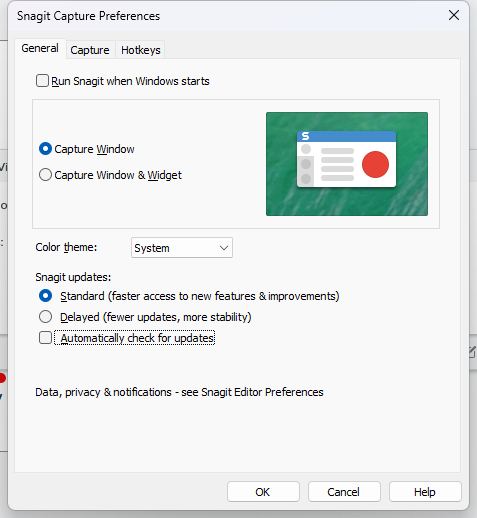
The update controls are the most useful change for someone who wants Snagit to stay predictable. Capture Preferences now offers Standard updates for earlier access or Delayed updates for a slower rollout. There is also a separate automatic-check box. I switched that off, restarted Capture, and it stayed off.
The rest of this release is more about where your work goes. The release notes add recording directly to Camtasia Online, change the default text-recognition engine to Microsoft’s OCR, and improve paragraph spacing in Grab Text. There are also capture, clipboard and sharing fixes. The Release Highlights and changelog summarize those notes; I did not compare the old build or test the online recording destination.
Installation and first run
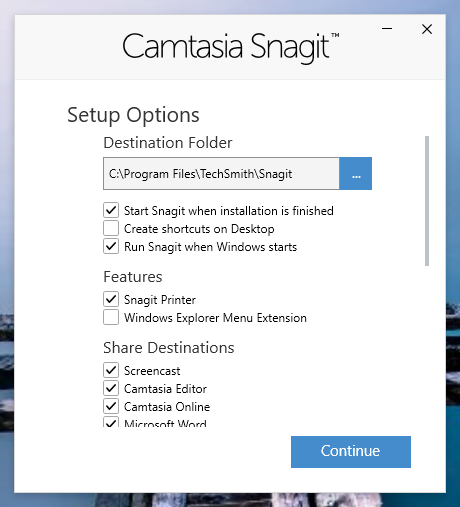
Setup gives you choices before it installs. That is good. The signed installer was about 434 MB, and the main TechSmith program folder occupied about 972 MB afterward. Options exposed the printer, Windows startup, Explorer integration, shortcuts and sharing destinations. I kept the defaults: startup and the printer on, desktop shortcuts and the Explorer extension off.
 Open larger screenshot
The result was two Start menu shortcuts, Snagit and Snagit Editor, and one startup entry. I found no new Snagit service or scheduled task. The Camtasia and office-app entries in setup were sharing destinations; I did not get a separately installed Camtasia Editor to review.
Getting into the trial takes more effort than installing it. I had to sign in to a TechSmith account, start the free trial and answer two setup questions. Trying to close those questions produced a message saying the step was required for trial registration. I could skip the tours afterward. No card was entered.
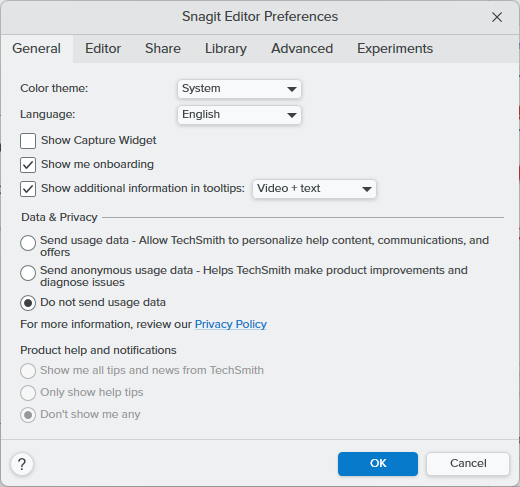
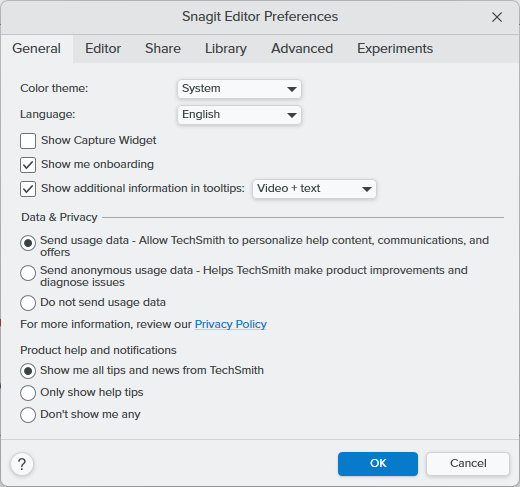
Usage data is on by default, with the option that allows personalized help, communications and offers selected. Product tips and news are on too. Editor Preferences has a clear “Do not send usage data” choice. I selected it, turned off news and later reopened Editor; the opt-out was still selected. I checked the control, not everything Snagit might transmit.
 Open larger screenshot
Startup and automatic update checks both switched off through Capture Preferences, and both stayed off after relaunch. I did not have to edit the registry or Task Scheduler. With Capture and Editor open on the saved annotated image after relaunch, their working sets were about 198 and 303 MB respectively, roughly 501 MB together. That is a measured working state, not a minimum requirement.
Capturing and keeping an editable copy
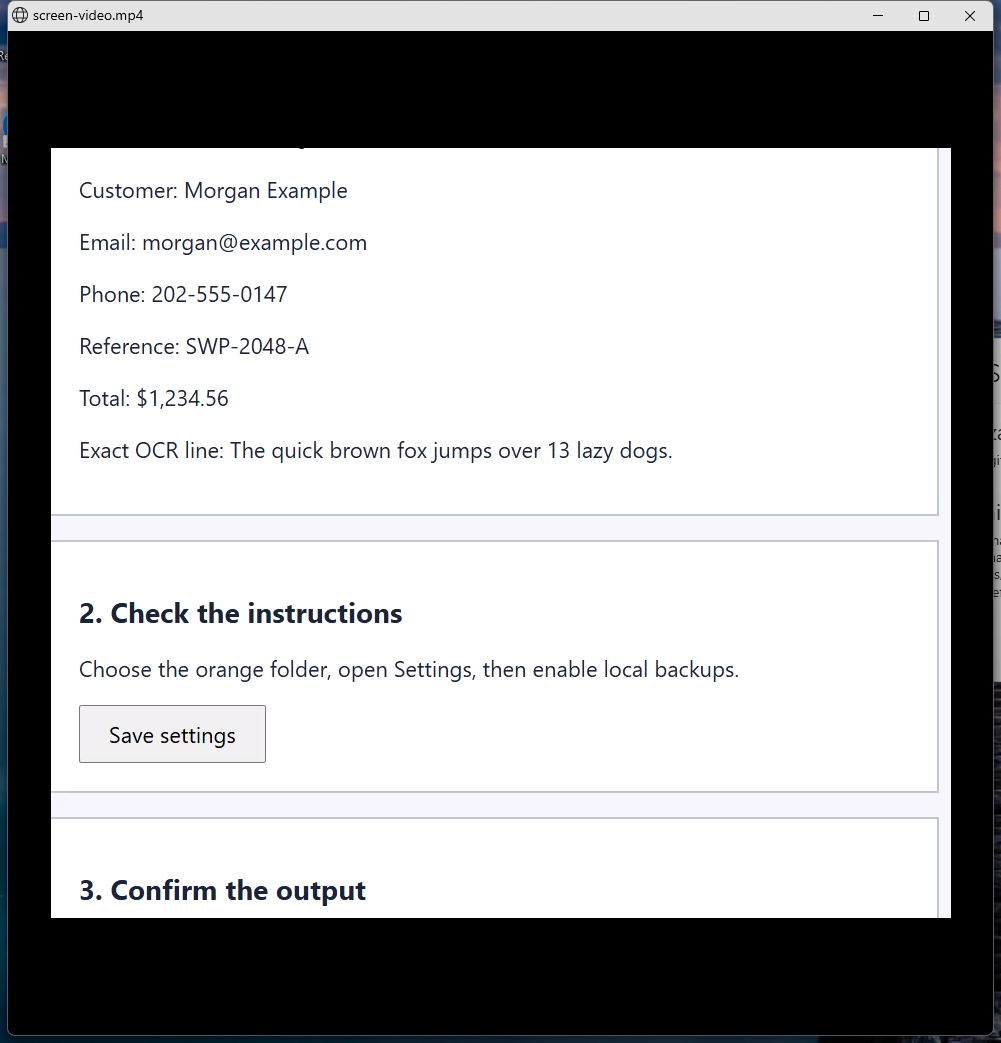
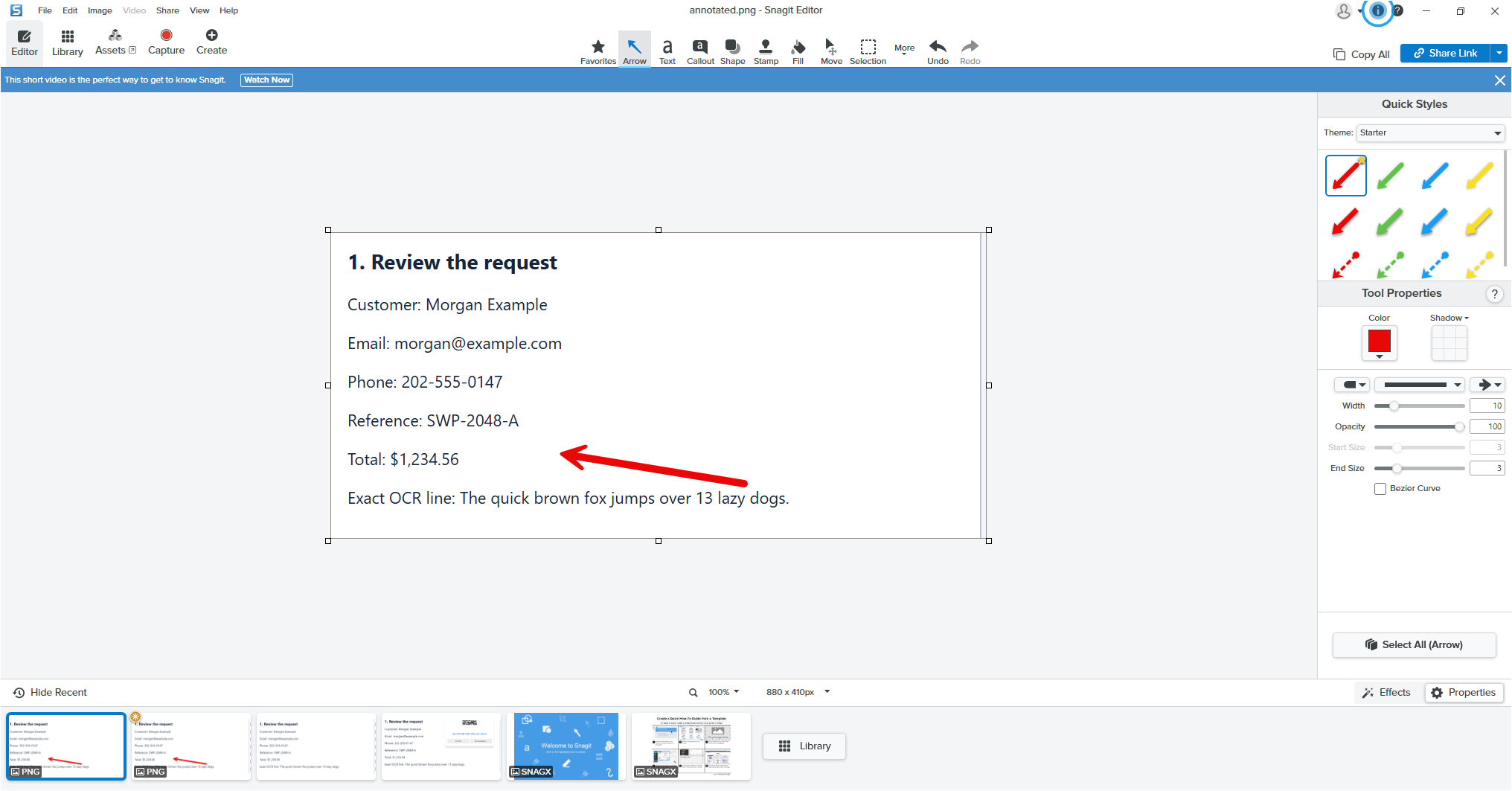
The basic capture-and-markup job worked. I selected a region of a test customer guide, added a red arrow and saved a PNG. The exported file contained the arrow and the readable text, without a trial watermark. All names and contact details in the test page were invented.
 Open larger screenshot
I also saved a SNAGX project. After restarting Editor, it opened at the same dimensions, and Select All Objects still selected the arrow so I could move it. That is the reason to keep the project as well as the PNG: you can revise the annotation instead of drawing over a finished picture.
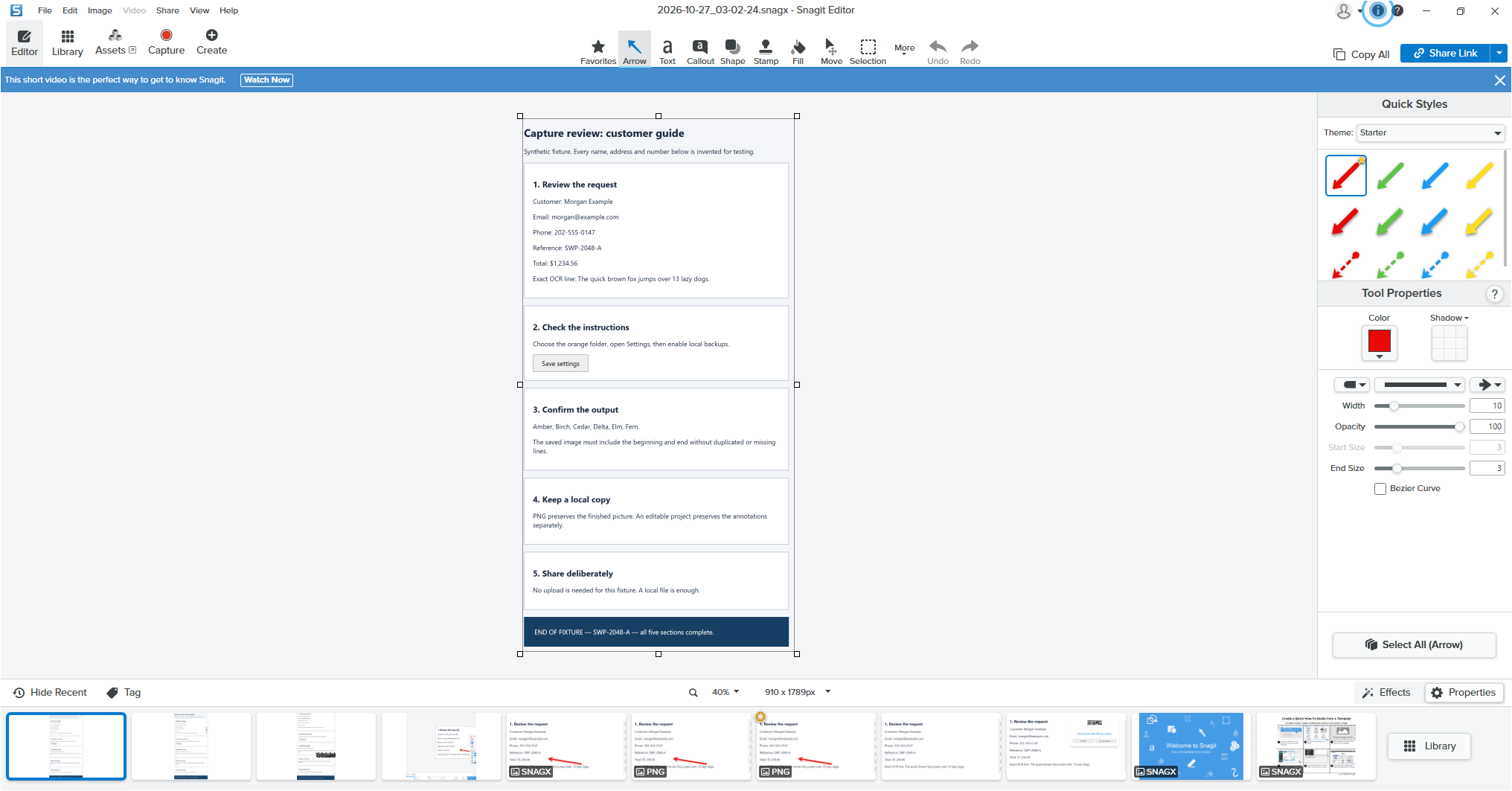
Manual scrolling capture also did the job. I selected the page area and scrolled through a five-section guide. The final 910 by 1789-pixel PNG included the title, all five numbered sections and the end marker, with no obvious missing or repeated lines. Keep other windows clear of the area you select; I had to correct an obstructed input before checking the final result.
 Open larger screenshot
Video recording worked; saving a segment crashed
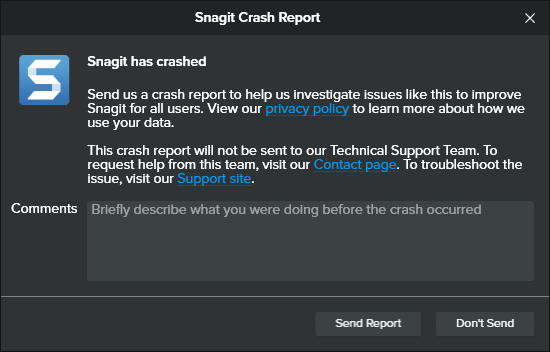
I would test your video workflow before paying. A silent 900 by 770-pixel screen recording saved as a 40-second MP4 and played in Editor. I then selected a timeline segment and used Save As New Video. Editor showed a crash report and exited after I chose Don’t Send.
 Open larger screenshot
The original MP4 survived. I reopened it in Edge, including after the trial had expired. That limits the damage, but it does not make the failed edit acceptable. This was one observed crash, not a claim that every selection will crash. I did not get a successful shorter video from that operation.
Price and value
Pay for the repeated editing work, not just the ability to capture a webpage. Edge’s free screenshot tool saved the same full guide in my comparison. If that is your whole job, a yearly Snagit bill is difficult to justify.
The Individual plan costs $39 per year in the US, billed yearly and tied to one person’s account. Regional prices and taxes differ. The subscription covers current versions while it remains active; this is not a one-time purchase of 2026.4. For someone who repeatedly revises annotated pictures, the editable project is useful. For occasional screenshots, start with what you already have.
What happens when the trial or subscription ends
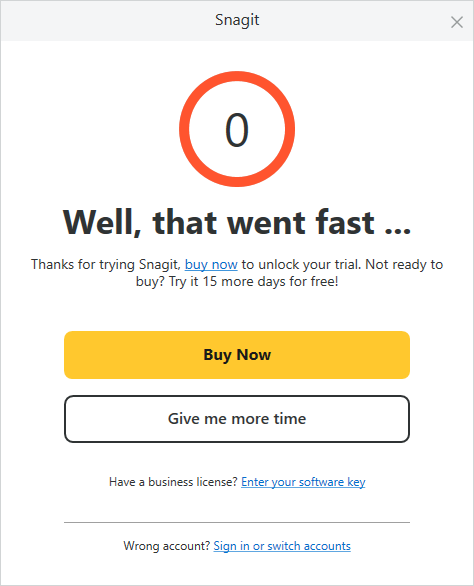
The unpaid trial stops normal access. I closed Capture and Editor, moved the test machine’s clock forward 31 days and launched again. Snagit showed zero days remaining, Buy Now and Give me more time. There was no ordinary Continue button. Closing the prompt closed the app.
 Open larger screenshot
Opening my saved SNAGX in Editor produced the same gate. The prompt offered another 15 days, but I did not activate the extension. My exported PNG and MP4 still opened in Edge, so those finished files did not depend on an active trial. Keep finished exports alongside projects you may need later.
If you cancel a paid subscription, you keep access until the paid period ends, and after that you need to subscribe again. New purchases come with a 14-day money-back guarantee. I tested the unpaid trial’s local expiry behavior, not a purchase, refund, renewal or paid cancellation; changing a clock does not test those account transactions.
Removing it
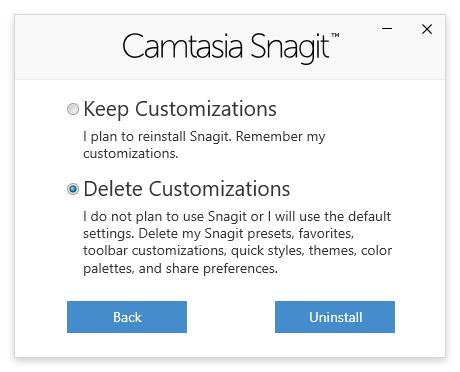
Removal was straightforward. The uninstaller offered Keep Customizations or Delete Customizations; I chose Delete. It reported success without asking for a restart. The program folders, Start menu entries and uninstall entries went, no Snagit process remained in the finished check, and I found no remaining Snagit printer.
It was not an empty-folder cleanup. About 7 MB remained under my local TechSmith user-data folder, along with a small roaming folder and TechSmith registry keys. The exported test files were still there. Those are different things: removing the program should not mean losing pictures and videos you deliberately saved.
Reinstalling the same build with the clock still forward did not reset the trial. It returned to the same zero-day prompt, still offering the optional extension. I left that extension unused.
Alternatives, and who should skip it
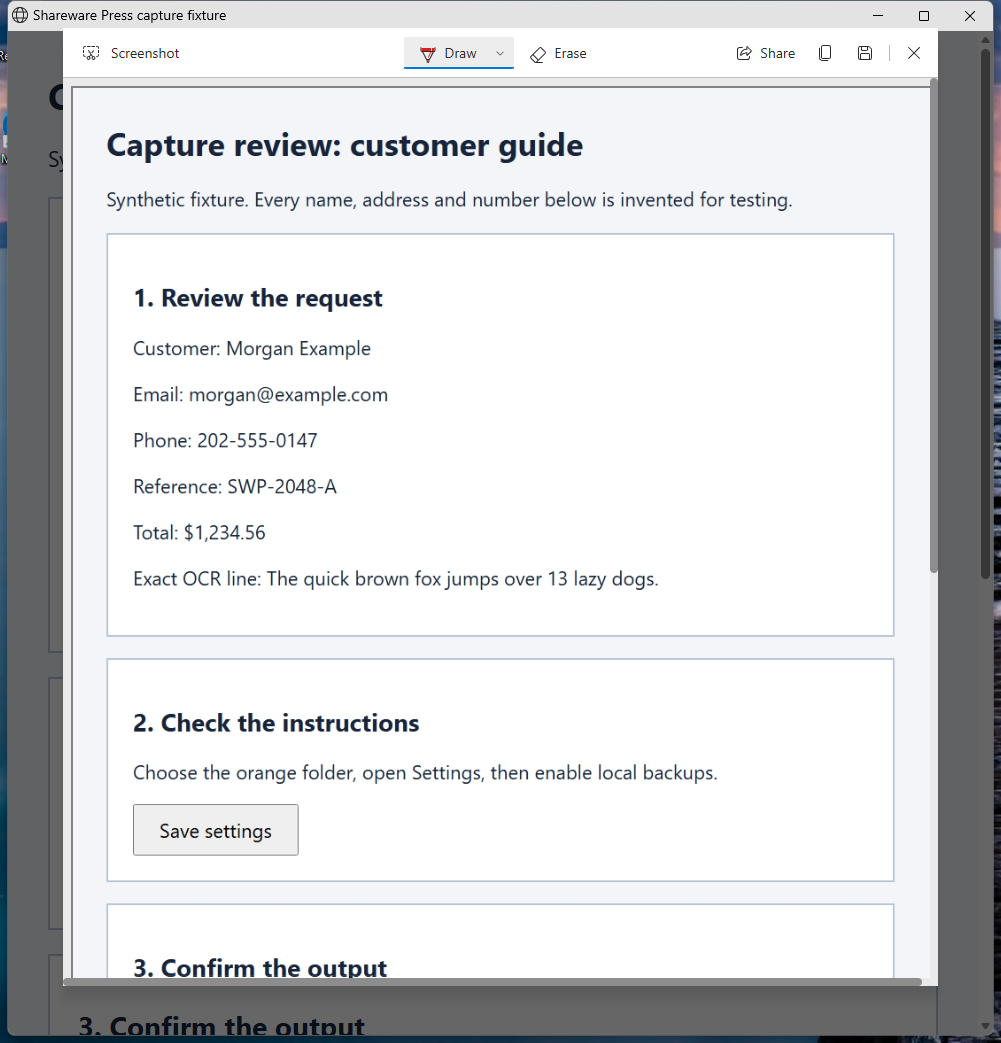
Edge is the free option I actually compared. Its Capture full page command saved the entire test guide, including the final marker. It also offered drawing and erasing, though I did not test those editing tools. That covers a useful browser-only job without an account or an extra installation.
 Open larger screenshot
Snagit has the stronger reason to stay installed when you need to capture outside the browser and keep annotations editable. Skip it if you only save webpages, do not want an account for a trial, or need a one-time licence. If your main reason to buy is OCR, automatic redaction, Step Capture or advanced video work, test that specific job yourself; this review does not establish those results.
Bottom line
Try Snagit on a guide you actually need to revise, and save both the SNAGX and a finished export. If it saves enough editing work to justify another annual bill, it is worth considering. Before paying for video work, make sure saving a selected segment succeeds on your own files.