
Paint.NET icon

Paint.NET v5.2

Freeware
  • Windows
  • macOS
  • Linux

Useful layers, but one tested PNG save lost its iTXt Description.

Release Highlights

  • Eight new effects add print, mosaic, glass, dither and distortion styles.
  • Move Pixels gains antialiased nearest-neighbor transforms.
  • HDR image imports can be tone-mapped to SDR.
  • PNG text-metadata handling is expanded; my saved test image lost its Description.
  • Layer compositing moves to FP32 precision with new CPU optimizations.

View Changelog

In Summary

  • The two-layer PDN reopened with its caption, and PNG and JPEG exports opened independently.
  • Finishing text turned it into pixels; reopening the project did not make the wording editable.
  • One tested saved PNG lost its iTXt Description; the original and decoded picture pixels stayed intact.
  • Classic costs nothing; a paid Store copy is optional.

Rate Paint.NET

We appreciate your opinion. Tell us what worked well and what could be better.

The verdict

Editor score7.5 /10 Not recommended

The file-preservation rule decides this review for me: one tested saved PNG lost its iTXt Description. The original was untouched and the decoded picture pixels were identical, but the Description was information that should have survived in the saved copy. Under this site’s rule, that loss blocks a positive recommendation.

The simple editing still worked. The layered PDN reopened, the caption could be hidden and reordered, crop undo and resizing worked, and the exports opened outside the app. Committed text also becomes pixels, so a PDN is not an editable text layout. Those tools have value, but the observed saved-copy loss is why I would not choose Paint.NET for images whose embedded descriptions must survive.

“One tested PNG save lost its iTXt Description, while the original and picture pixels stayed intact.”

The good

  • Pro: The saved PDN reopened with both named layers and the caption.
  • Pro: Layer visibility and ordering worked on the caption project.
  • Pro: Crop undo restored the canvas; aspect-ratio resizing produced the expected dimensions.
  • Pro: PNG kept the transparent border; exported PNG and JPEG decoded independently.
  • Pro: Mosaic persisted after saving and reopening its project.
  • Pro: The update-check preference survived a normal exit and relaunch.
  • Pro: Normal uninstall removed the program, its shortcuts and recorded file-type registrations.

The bad

  • Con: One tested saved PNG lost its iTXt Description.
  • Con: Committed text becomes pixels and cannot be re-edited as characters.
  • Con: Linux and macOS packages are experimental Wine builds with a 12-week expiry.

Editions compared

Paint.NET editions compared: price and which features each one includes
Feature Classic Microsoft Store Wine package
Price Free installer or portable ZIP Paid Store purchase Free experimental download
Editing tools Full Classic editor Same editing features Same app through Wine; compatibility limits
Availability Windows x64 and ARM64 Windows Linux/macOS through Wine
Update delivery Installed app has an update-check control Automatic background updates Manual replacement; no automatic updater
Time limit No expiry for the stable Classic offer Store licensing Builds expire 12 weeks after build date
License Proprietary freeware Proprietary paid distribution Proprietary app in experimental packaging

What’s new in 5.2

Released November 10, 2026

Release-note summary for Paint.NET 5.2, released 10 November 2026.

Runtime and availability

  • Use .NET 11; SSE4.2 is mandatory on Intel/AMD.
  • Add separate experimental Wine packages for Linux and Mac.
  • Add Uzbek translation.

Plugin development

  • Publish the Paint.NET.Plugin.SDK NuGet package.
  • Expand plugin imaging with Rgb64, Rgb64Half and Rgb128Float, more color transforms and BitmapInterpolationMode2 scaler modes; add channel extraction/replacement, ColorGenericXY16/32/32Half/64Float, 16-bit integer and 16/32-bit floating alpha, and CMYK32/CMYKA40/CMYK64/CMYKA80 support.
  • Deprecate classic effect compilation; existing compiled plugins remain usable.
  • Warn on classic FileType compilation; next major update will reject it.
  • Let AutoPopulateFileTypes populate FileChooser properties from built-in and plugin formats.

Formats and metadata

  • Replace FileType APIs; accept BGRA32, RGBA64, CMYK and FP16 HDR, tone-map HDR imports to current BGRA32 editing.
  • Read CICP metadata from AVIF, JPEG XL and PNG; expose it to plugins.
  • Tone-map HDR AVIF, HEIC, JPEG XL, JPEG XR and PNG imports to SDR.
  • Rename Save Configuration to Save Options.
  • Repair some metadata-preservation cases.
  • Preserve PNG tEXt/iTXt, including image-generation parameters.
  • Migrate the bundled AVIF plugin to the new FileType APIs.
  • Migrate DDS FileType Plus; remember original DDS format, mipmap and cubemap settings in Save Options.
  • Migrate the bundled JPEG XL plugin to the new FileType APIs.
  • Migrate the bundled WebP plugin to the new FileType APIs.

Rendering and performance

  • Rebuild layer compositing with FP32 instead of 8-bit precision and AVX2/AVX512 optimization.
  • Speed Copy and Copy Flattened by up to 95%.
  • Halve temporary memory for Paste into New Image.
  • Improve large-image zooming and scrolling responsiveness.
  • Render zoom levels above 100% in one pass.
  • Reduce brush preview latency by one frame.
  • Speed Median Blur by 10-50%, depending on quality.
  • Speed Levels and Auto-Levels histograms by about 20%.

Editing and selection

  • Rename Copy Merged to Copy Flattened.
  • Let Ctrl select all-layer sampling for Paint Bucket and Color Picker.
  • Give Eraser a fill-pattern choice.
  • Improve aspect-ratio rounding in Resize.
  • Fix shift-click side handles shifting unexpectedly by one or two pixels.
  • Rename Move Selected Pixels to Move Pixels.
  • Add antialiased nearest-neighbor scaling and rotation in Move Pixels.
  • Fix intersect-selection disappearance and undo/redo problems.
  • Take constrained-resize ratio at resize start; retain it until an unconstrained resize.
  • Draw symmetric non-antialiased one-pixel circles and ellipses.

Interface and reliability

  • Keep hex color text after an invalid character.
  • Replace Open Recent tooltips with a second line for paths.
  • Show more decimal places for status-bar zoom.
  • Fix rare automation-triggered brush-size crashes.
  • Fix rare crashes when tool and color change together.
  • Improve GPU-effect reliability on older or low-end hardware.
  • Fix random-number generation in Frosted Glass.
  • Fix compass-cursor scaling in Move and Shapes.
  • Fix a cosmetic pixelated-selection outline glitch.
  • Fix a rare hang after opening an image or at 70% committing changes.

Installation

  • Request UAC during install/update only when needed.
  • Rewrite the AnyCPU web downloader in C++; remove its .NET Framework 4.8 dependency.

New effects

  • Add Artistic Linocut for carved-print styling.
  • Add Artistic Mosaic with tiling, bevel and grout options.
  • Add Artistic Pointilism for dot-based styling.
  • Add Artistic Stained Glass.
  • Add Ordered Dither with Bayer, spiral, dual-spiral and blue/white-noise families.
  • Add Spherize for spherical distortion.
  • Add Waves for wave, ripple, spiral and flower-like distortions.
  • Add Halftone with CMYK or monochrome dots and color-aware linear conversions.

What Paint.NET is now, and who it’s for

Paint.NET did useful work on a small layered image, but one tested PNG save lost its iTXt Description. Keeping the picture is only part of preserving a file’s information.

It is a raster image editor with layers, selections, drawing tools, adjustments and effects. I used the free Classic 5.2 x64 release on Windows 11. Classic is proprietary freeware, available for home and commercial use.

The useful middle ground is an image that needs more than one crop or resize: a separate caption, a transparent border, an effect on the background and a project you can reopen. For a single resize, Windows Paint already did the job in my comparison. The normal release is for Windows; separate Linux and Mac packages run through Wine and are experimental.

Do the 5.2 changes matter to you?

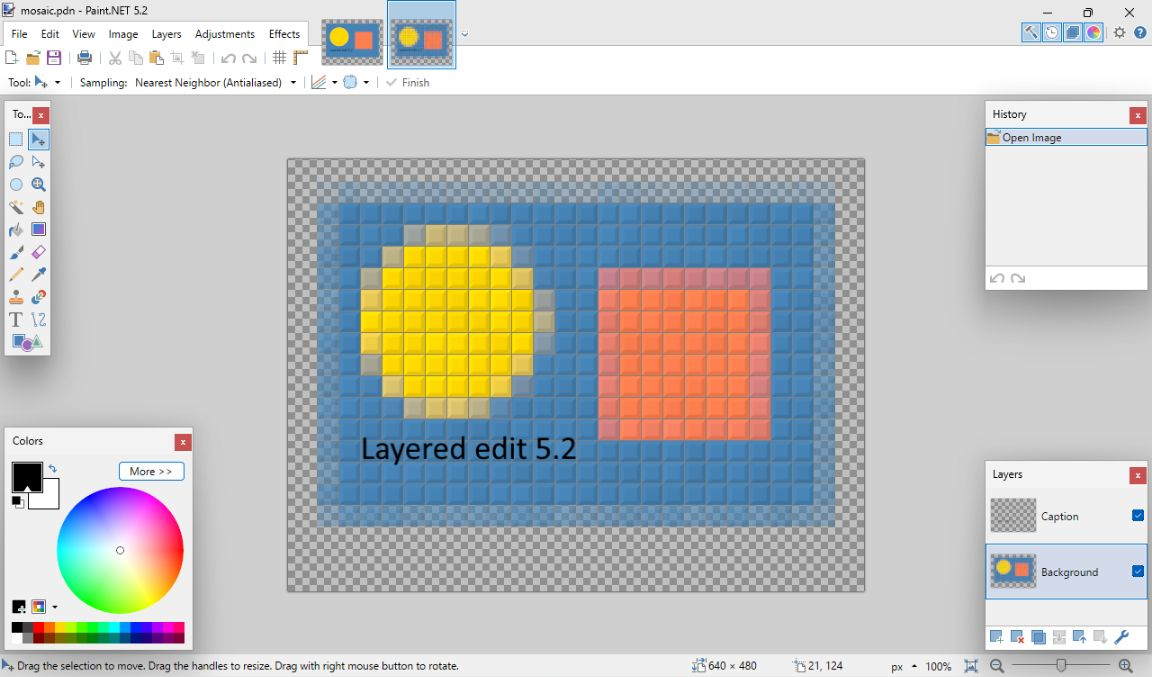
Mosaic gave me a result worth keeping. It is one of eight new effects in 5.2, released on 10 November 2026. I applied it to the background with the default square tiles, bevel and grout settings, kept the caption separate, saved the PDN and reopened it. The effect and the named layers were still there.
Paint.NET showing the reopened Mosaic project with separate caption layerOpen larger screenshot
Mosaic remained applied after saving and reopening the PDN; the caption stayed on its own layer.

The other additions include carved-print and dot effects, stained glass, dithering, spherical and wave distortions, and halftone printing styles. They broaden the built-in choices for making a graphic. Whether that helps depends on whether you need the effect; a longer menu alone does not improve an ordinary crop.

The release also changes the layer-rendering engine to floating-point precision and updates the file-format plugin system. HDR image imports can be tone-mapped to SDR. That is a conversion when opening an image, rather than native HDR document editing. The full changelog below records the listed changes; the saved-file results are what matter in the jobs that follow.

Layers and editing in practice

Separate layers made the caption easy to hide and reorder. My starting image was a 640 x 480 transparent canvas containing three colored shapes. I added a layer called Caption above Background, typed a short label and changed the wording before finishing it.

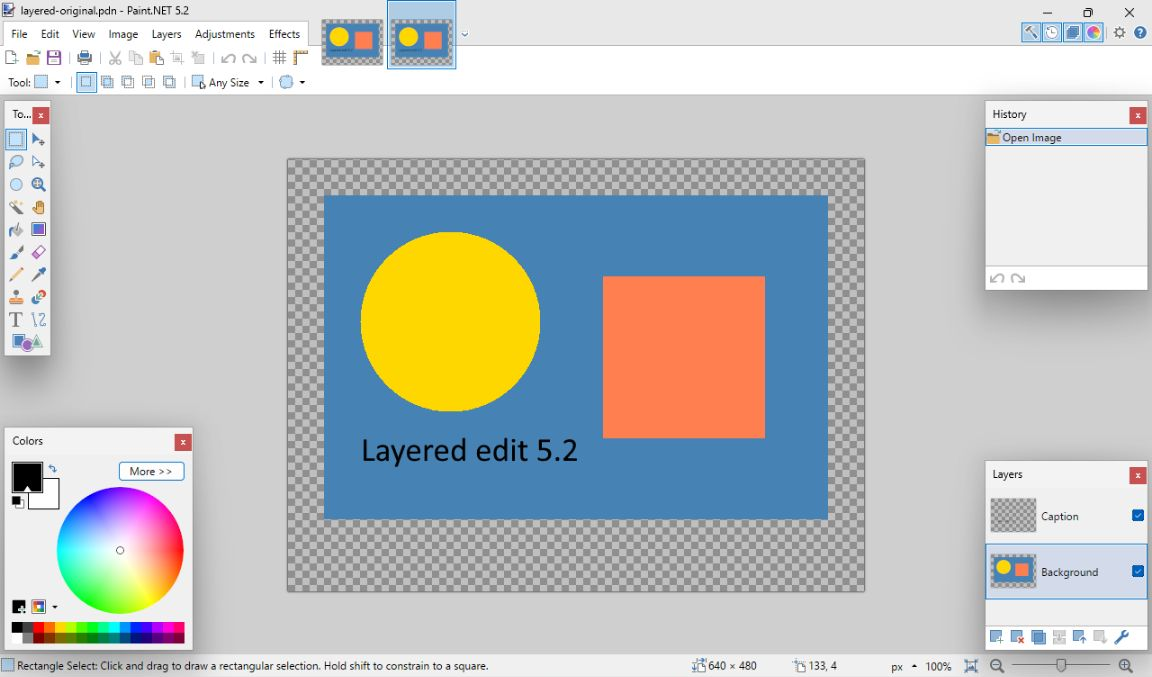
Unticking Caption hid the lettering. Moving it below the opaque part of Background covered it; moving it back to the top restored it. I saved the project as PDN, closed the document and reopened it. Both layer names and the visible result survived.
Paint.NET showing the reopened project with Background and Caption layersOpen larger screenshot
The saved PDN reopened with its two named layers and caption.

The text becomes pixels

Finishing the text was a commitment. After reopening the PDN, clicking the lettering with the Text tool started new text. Backspace did not remove the old letters. Keeping a caption on its own layer lets you move or replace that layer, but it does not preserve the wording as editable characters. For a label you expect to revise repeatedly, that is a real limitation.

Crop, resize and export

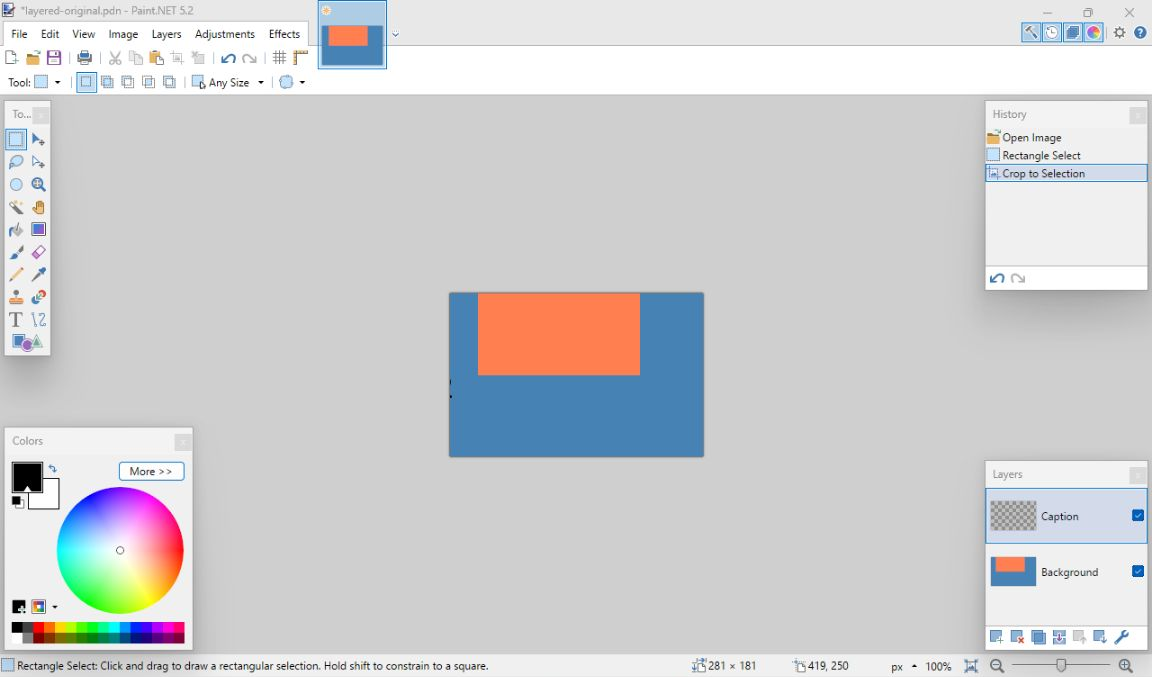
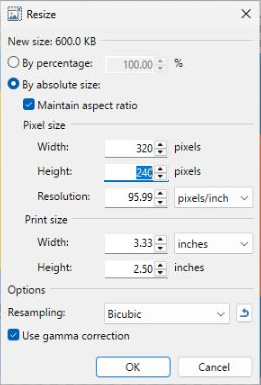
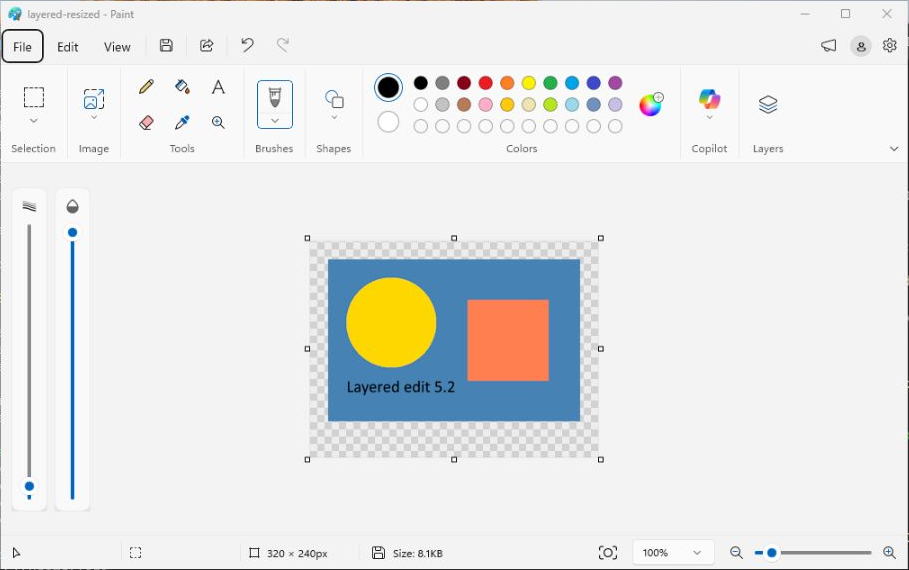
The basic image operations worked. My rectangular selection produced a 281 x 181 crop, and Undo restored the original 640 x 480 canvas. In Resize, keeping the aspect ratio and changing the width to 320 automatically set the height to 240. I applied that with Bicubic resampling and gamma correction enabled.
Paint.NET Resize dialog set to 320 by 240 with aspect ratio maintainedOpen larger screenshot
With the ratio locked, changing width from 640 to 320 set height to 240.

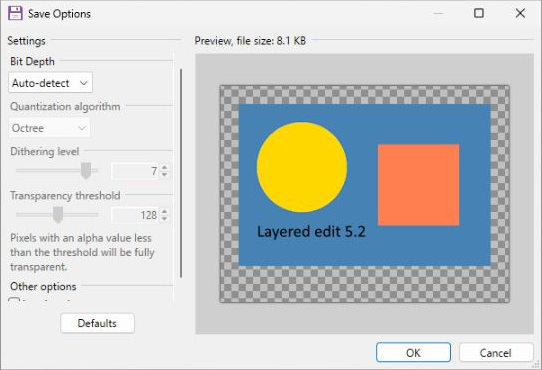
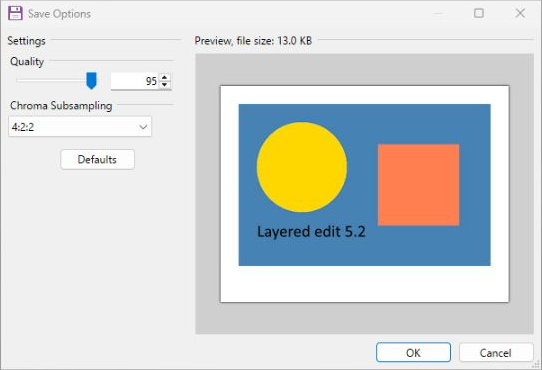
I kept the resized PDN as the project, then exported a PNG and accepted flattening for that copy. The PNG decoded at 320 x 240, kept its transparent corner and retained the sampled blue shape color. It also opened in Windows Paint. The JPEG export opened at the same dimensions, with the transparent border replaced by white. Choose PNG when that transparency matters.

A Description lost on save

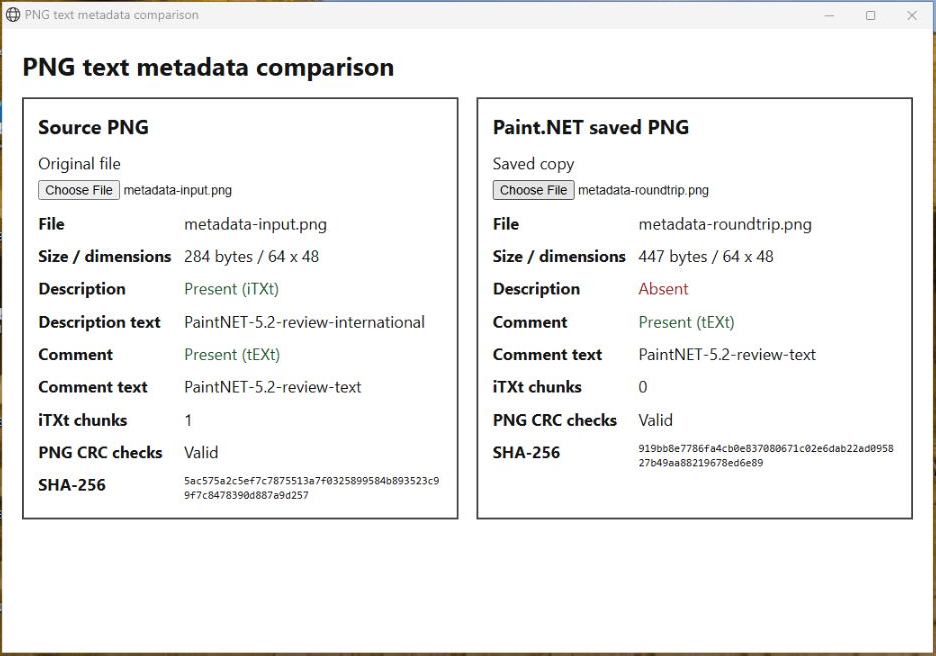
The metadata result was worse. I opened a small PNG containing a Comment in a tEXt chunk and a Description in an iTXt chunk, then saved a separate PNG. That saved copy kept the Comment but lost the Description and its iTXt chunk. The original file was unchanged, and both PNGs decoded to identical picture pixels. The loss was that text field in the saved copy.
PNG metadata inspection showing Description present in the source PNG and absent from the Paint.NET saved PNGOpen larger screenshot
The source’s iTXt Description is absent from the saved copy; Comment remains in both files.

If you rely on PNG descriptions, keep the original and check a saved copy before trusting this save path.

Installation and first run

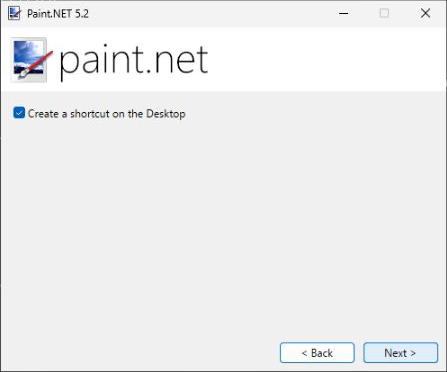
Setup offered a short set of choices. Express was selected initially. I chose Custom, left the checked desktop-shortcut option on and kept the default Program Files folder. The next screen was ready to install; this run did not present association or update checkboxes.
Paint.NET Custom setup showing the checked desktop-shortcut optionOpen larger screenshot
Custom setup preselected the desktop shortcut.

The official offline x64 package’s ZIP checksum matched the published release. Its extracted installer was 90.4 MB and had a valid DOTPDN LLC signature. Installation was complete when I checked about four minutes after starting it. The installed program files totalled 706.5 MB, excluding the downloaded installer and user data.

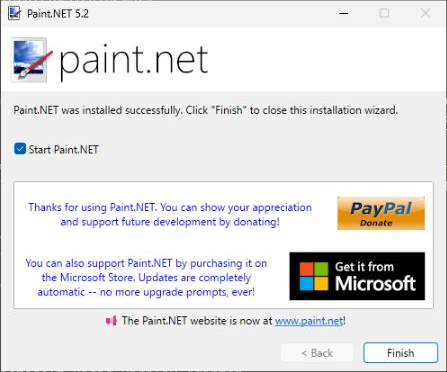
Setup added a shortcut on the shared desktop and a Start menu entry. Its completion screen promoted donations and the Store release, with Start Paint.NET checked. The app opened without an account or payment gate. No separate companion app appeared in the recorded installation.

Day-to-day use

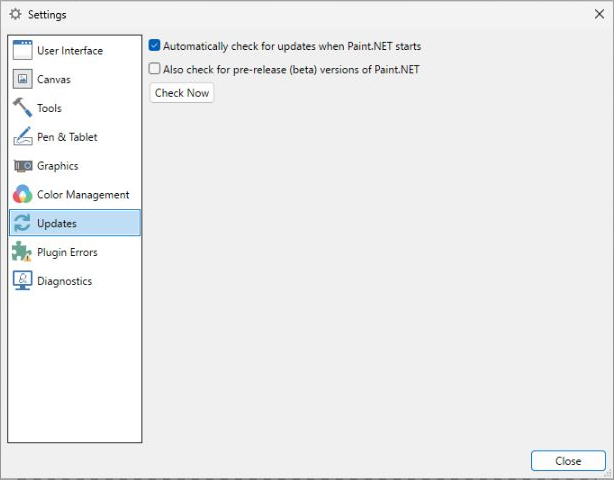
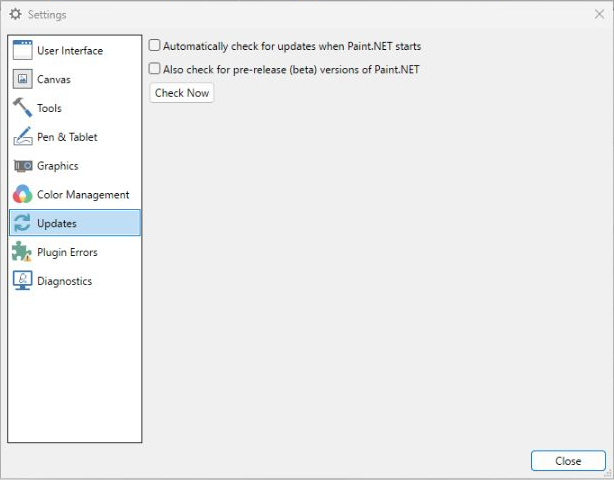
The update preference was easy to change and stayed changed. Automatic checks at startup were on by default, while prerelease updates were off. I disabled the automatic check, exited normally, launched the desktop shortcut and found it still off.
Paint.NET settings with automatic update checks disabled after relaunchOpen larger screenshot
The automatic update-check preference stayed off after a normal exit and relaunch.

Across those two launches, I saw no account screen, payment gate or repeated-launch nag. Classic uses anonymous install and update completion reports as well as update checks. Its own integrations did not add a recorded Paint.NET service, scheduled task or boot-startup entry.

With the empty main editor open after startup settled, the Paint.NET process used about 259 MiB of working-set memory in three samples two seconds apart. That is the empty editor state; the layered project and effects came later.

Removing it

Normal removal through Programs and Features removed the program folder, its desktop and Start menu shortcuts, the installed-program entry and the recorded Paint.NET file-type registrations. After the editing apps were closed, no Paint.NET process remained.

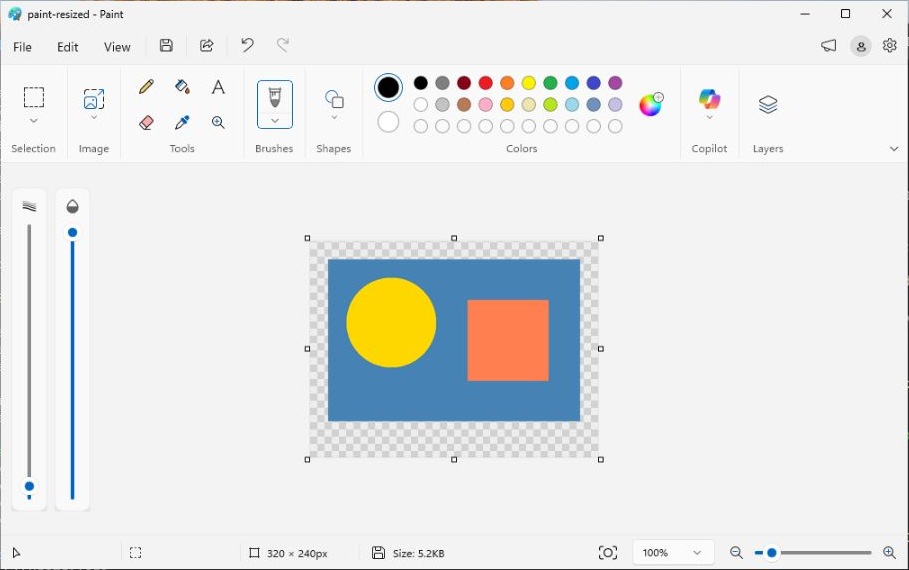
It left preferences in the registry and cache, optimization and session folders under Local AppData. The file inventory found a roughly 501 KB startup-optimization profile there. Those are leftovers, rather than a completely empty removal. The exported PNG still opened in Windows Paint afterward, with the caption and transparent border.
Windows Paint displaying the exported 320 by 240 PNG after Paint.NET removalOpen larger screenshot
Windows Paint opened the exported PNG after Paint.NET was uninstalled.

Price and value

Classic makes the tested tools available without payment. The optional paid Store distribution offers the same editing features with Store-managed updates.

For a small layered graphic, keeping a project and exporting a flat copy has value. For an occasional crop or half-size image, that extra project structure may give you nothing. The lost Description also makes me reluctant to make Paint.NET the routine save path for images whose embedded information matters.

What happens when the trial or subscription ends

There is nothing to end in the stable Windows Classic offer: it is free without a trial expiry or subscription. The saved PDN reopened before removal, and the exported PNG opened in another app after removal. Keep the PDN when you want the separate layers and export a common format for sharing.

The experimental Wine packages have a different rule: each build expires 12 weeks after its build date and needs replacing. That expiry belongs to those packages, not to the stable Classic Windows release.

Alternatives, and who should skip it

Windows Paint was enough for the basic comparison. It resized the original fixture from 640 x 480 to 320 x 240 and saved it, and a separate crop produced a 350 x 194 image. For a simple crop or resize, I would start there.

GIMP is the free alternative to consider when editable text layers or a regular desktop app for Linux and macOS are part of the job. Its text layers can retain characters for later editing in a saved project. That is a different workflow from Paint.NET’s committed text becoming pixels.

Skip Paint.NET for documents whose captions need repeated wording changes, or as an unchecked round trip for PNG descriptions. Its small layered-edit workflow worked, but those two requirements change the choice of editor.

Bottom line

I would not make Paint.NET the routine save path for PNG descriptions that must survive. If you still choose it for simple layered work, keep the original and a PDN, then check the exported copy before discarding anything.


User ratings and comments

No user ratings yet

Add your rating

Be the first to share your experience.

PAINTNET.PCX
SPRESS.BBS · newsletter

New software reviews and top picks, once a week.

No spam. Unsubscribe anytime in Your Account. Privacy Policy.

Search

Press / or Ctrl K to search from any page. Esc closes.

Your account

Necessary Always active

Shareware Press stores your cookie choices for 180 days in sp_consent. Opening the rating form sets sp_voter for one year to retrieve and update your vote. Starting an article Discussion or Helpful action sets sp_article_receipts for one year to prove that specific submission; linking it also needs a matching verified account. WordPress uses login and settings cookies for signed-in users, and comment-author cookies for one year when you ask it to remember your details.

Cookie Policy · Privacy Policy

Consent record reference